WP Manga Chapter Coin - Plugin Documentation
Version: 1.4
Author: MangaBooth
Dependencies: WP Manga (Madara-Core) plugin 2.2+, MyCred plugin
Support: MangaBooth Support
1. Installation Guide
System Requirements
- Latest version of WordPress
- WP Manga (Madara-Core) plugin version 2.2 or higher
- MyCred plugin (required for coin system)
- PHP 7.0 or higher
Installation Steps
- Install MyCred plugin: First, install and activate the MyCred plugin from WordPress repository. This plugin is required for the coin system to work.
-
Upload plugin: Go to admin → Plugins → Add Plugin → browse and upload the installation file
wp-manga-chapter-coin.zip - Activate plugin: Go to Plugins in WordPress Admin and activate the "WP Manga - Chapter Coin" plugin
-
Activate License:
- Go to Settings → WP Manga Chapter Coin License
- Enter the License Key you received when purchasing the plugin
- Click the Activate button to activate the license
- Configure plugin: After activating the license, go to "WP Manga Settings → WP Manga - Chapter Coin" to configure the settings
2. Introduction
WP Manga Chapter Coin allows you to set coin values for chapters (when you add or edit a chapter), enabling a monetization system for your manga website. Users need to purchase chapters using coins (managed by MyCred plugin) before they can read premium content.
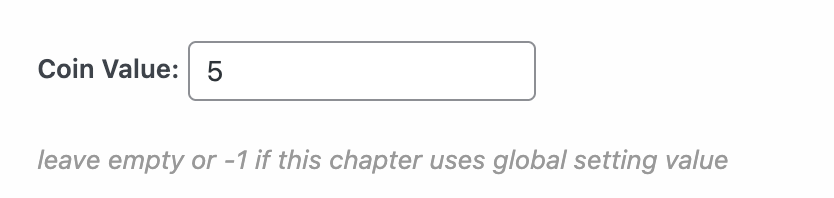
2.1. Manage Coin Revenue
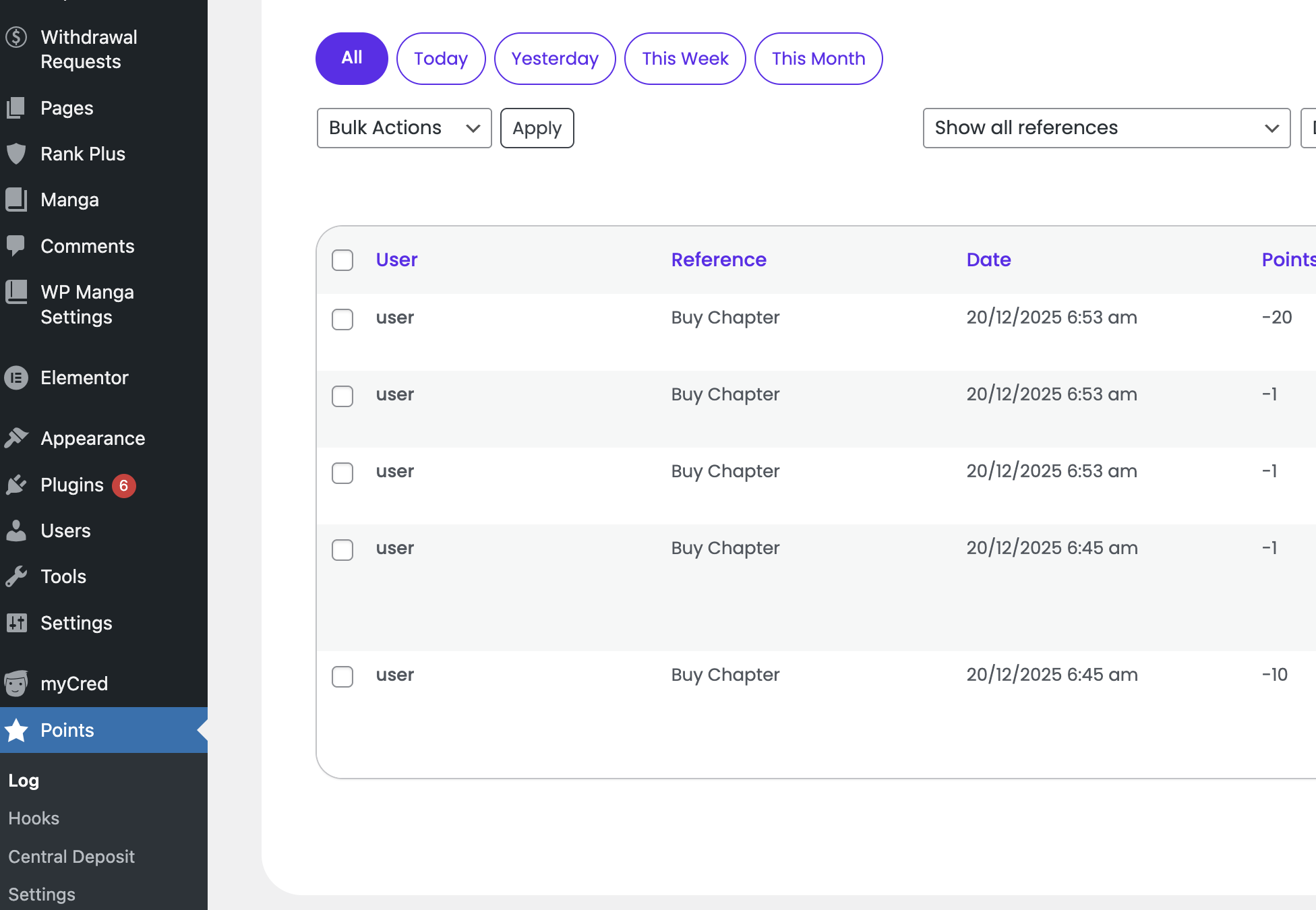
As admin, you can manage the coin purchase and usage in the "Points → Log" page
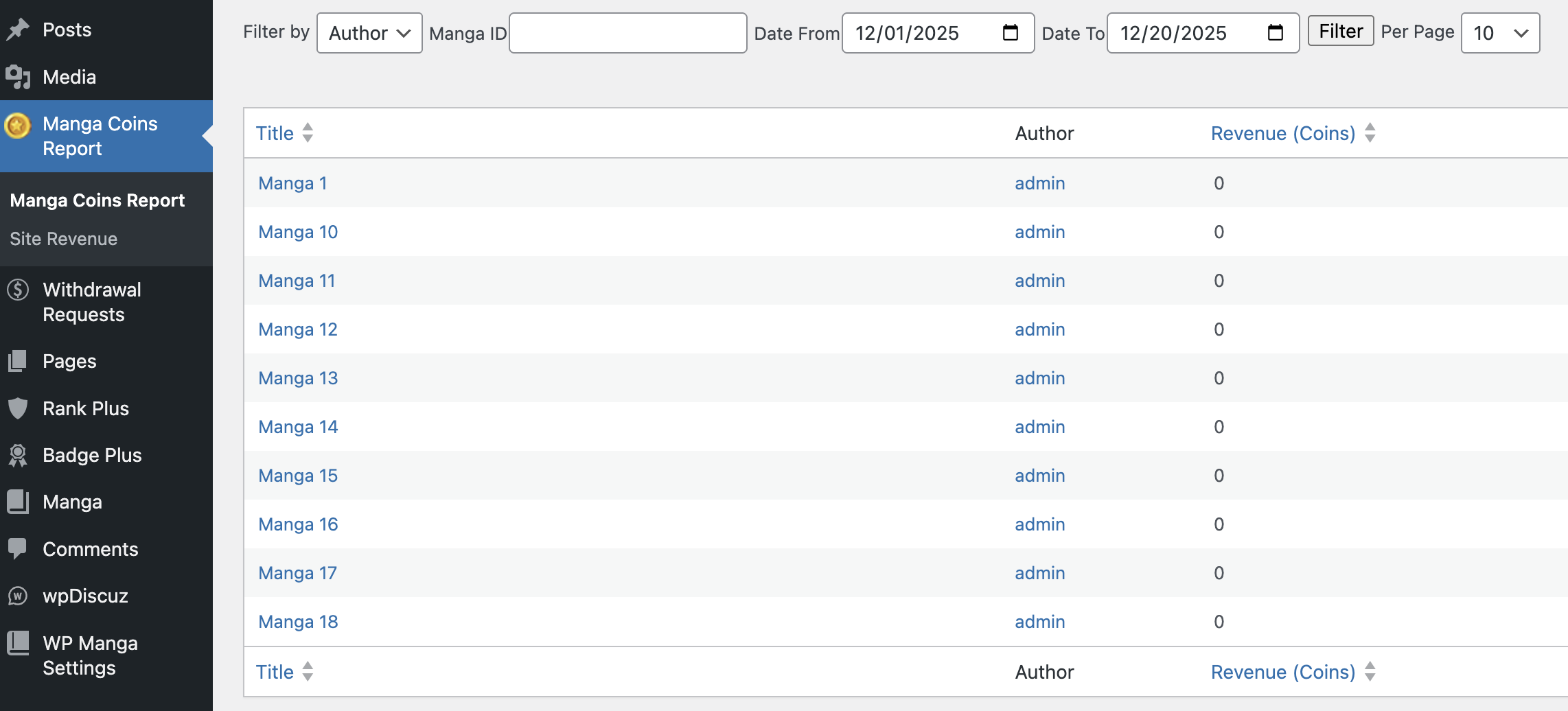
You can see revenue for each manga in the "Manga Coins Report" page (e.g. how many coins are used to unlock chapters in a manga)
2.2. Multi Uploaders and Payout System
When use with WP Manga Member Upload PRO plugin, you can manage income and withdrawal for uploaders. See 3. Admin Settings → Withdrawal Settings for more details.
Currently you need to make the payout outside the system. Next version will support online payout system.
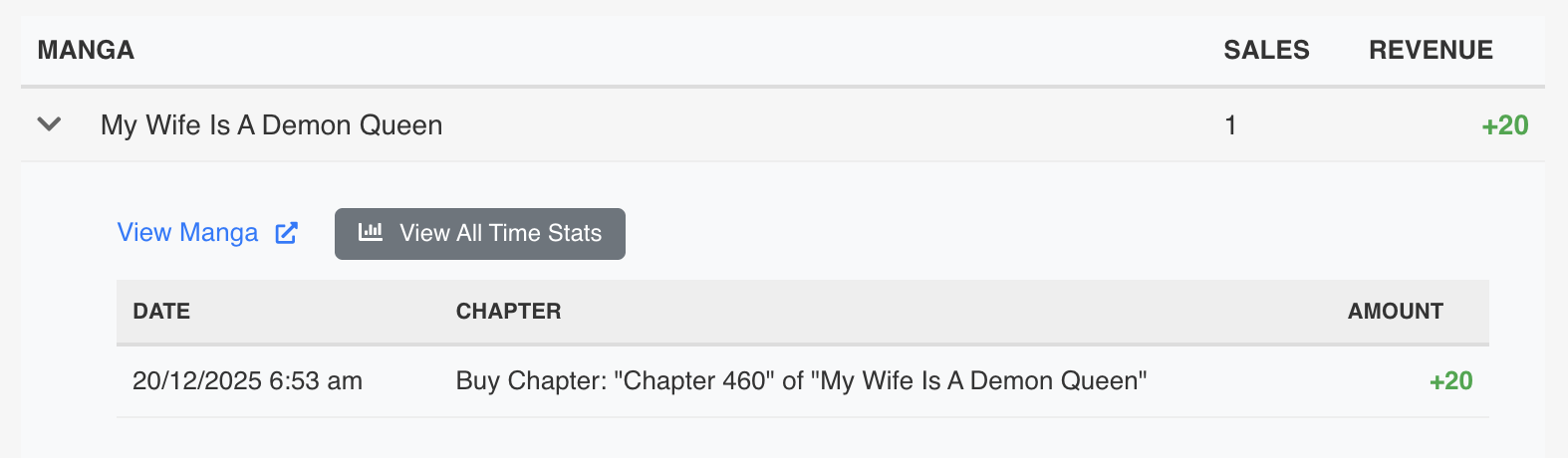
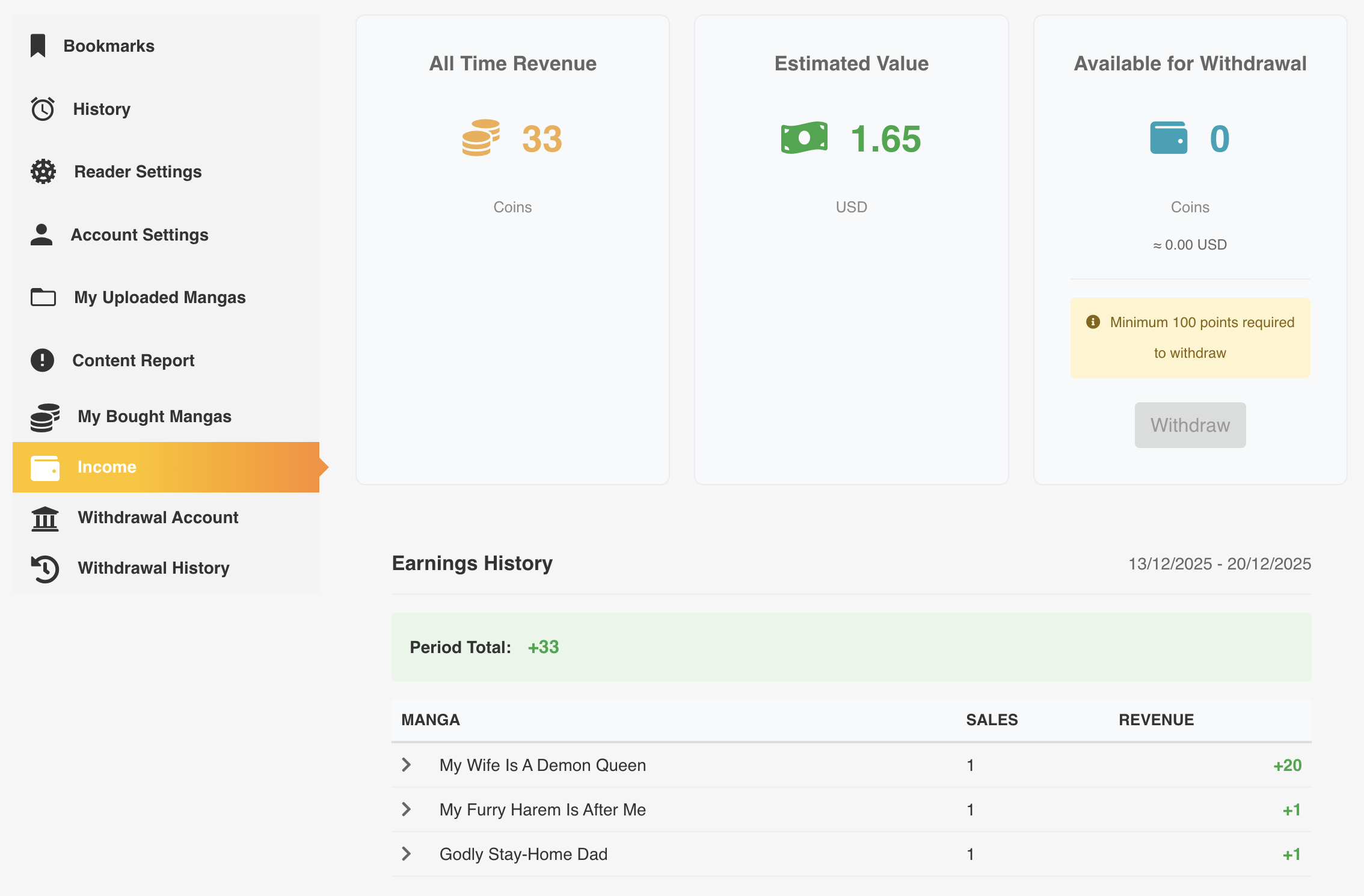
Uploaders can earn revenue when users purchase chapters in their mangas. The revenue can be withdrawn by making the Withdrawal Request in the "Income" page.
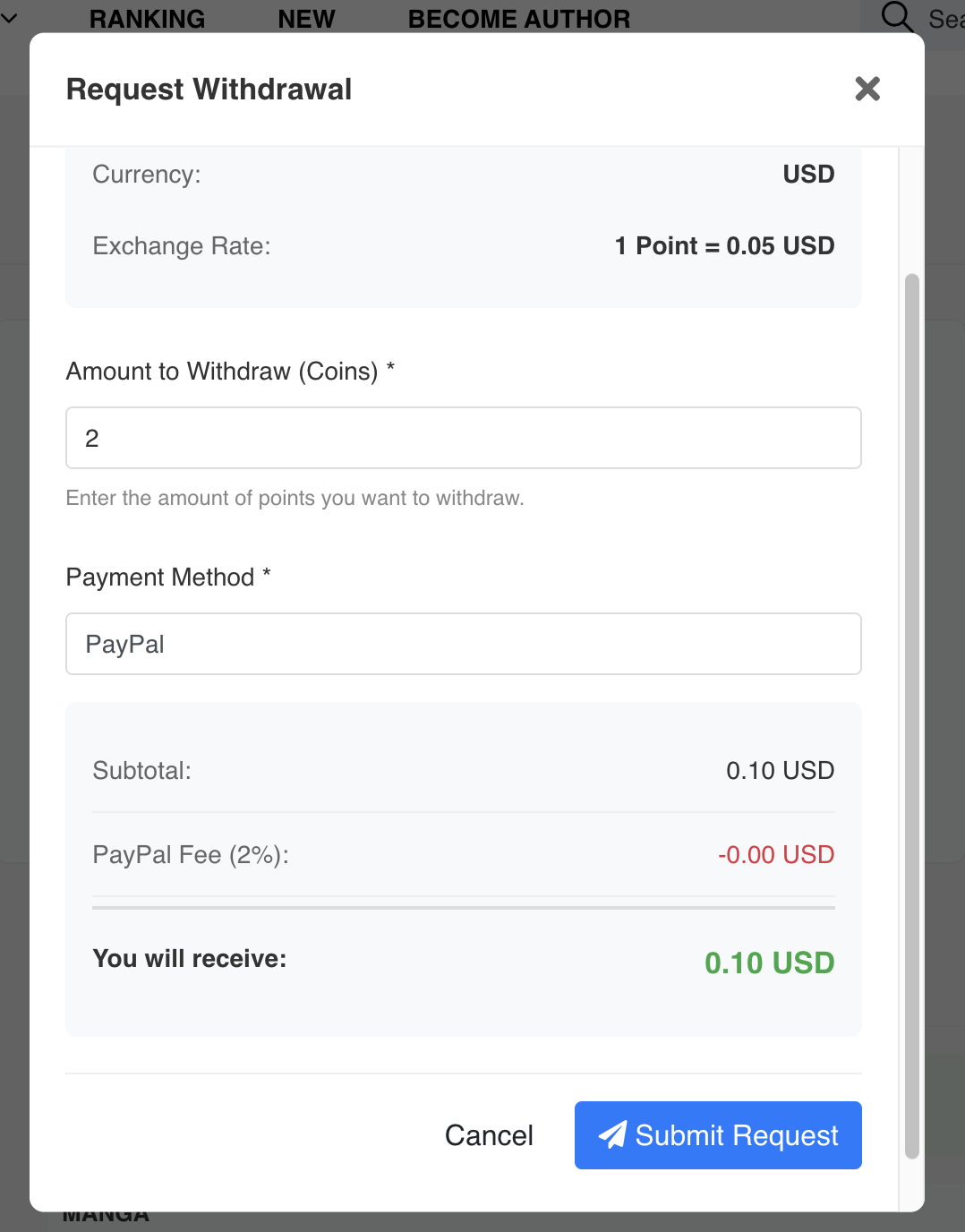
Admin will then review the request and approve or reject it at "Withdrawal Requests" page
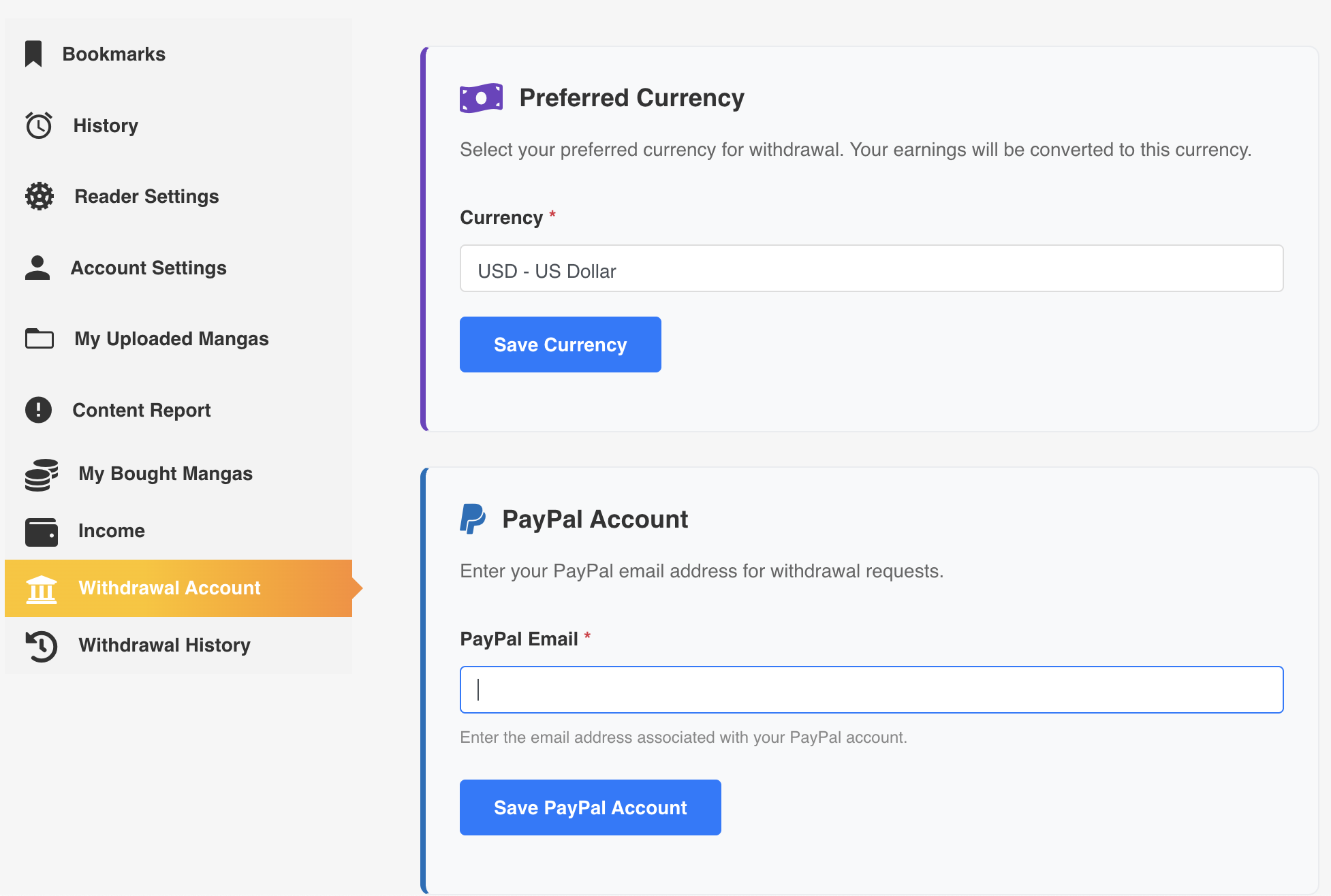
Uploaders will need to add their withdrawal account information in "User Settings → Withdrawal Account" page.
Uploads can view their revenue in the "Income" page.
3. Admin Settings
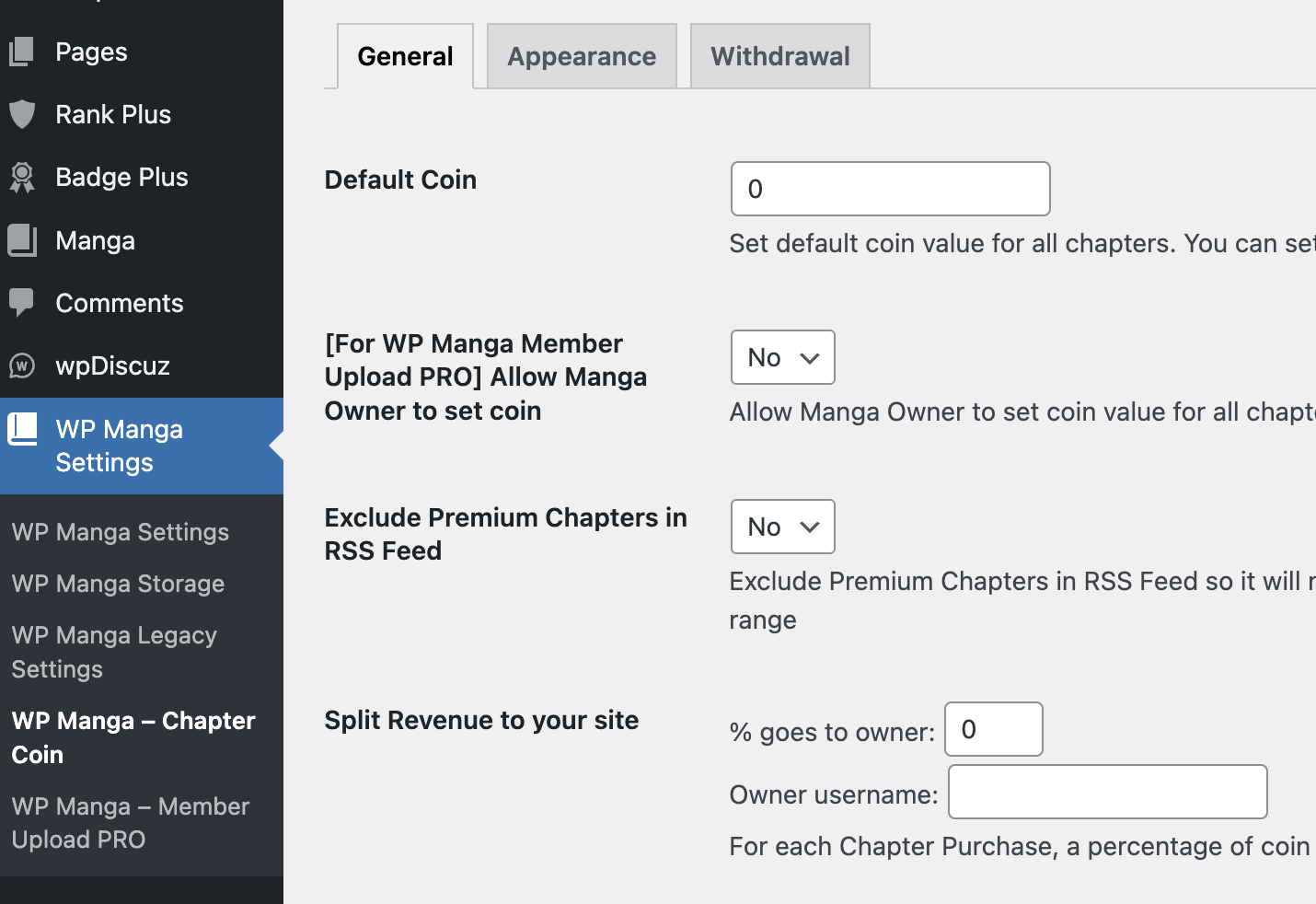
Go to "WP Manga Settings → WP Manga - Chapter Coin" to configure the settings.
General Settings
| Setting Name | Description | Default Value |
|---|---|---|
| Default Coin | Default coin value for all chapters. If a chapter doesn't have a specific coin value set (or -1), this default will be used. Set to 0 for free chapters. | 0 |
| [For WP Manga Member Upload PRO] Allow Manga Owner to set coin | When use with WP Manga Member Upload PRO plugin, allow front-end uploaders to set coin value for chapters. | No |
| Exclude Premium Chapters in Feed | Exclude premium chapters from RSS feeds. | No |
| Split Revenue Percentage | Percentage of revenue that goes to site owner when a chapter is purchased. | 0 |
| Split Revenue Owner | User ID of the site owner who receives the revenue split. | (Empty) |
| Buy Coin URL | URL where users can purchase coins. This link will be shown when users don't have enough coins. | (Empty) |
| Manage Uploader Income | Enable Income and Withdrawal features for uploaders. When disabled, Income tab, Withdrawal Account tab, and Withdrawal Requests admin page will be hidden.
 |
No |
| Uploader Roles | User roles that can see Income pages. Only effective when "Manage Uploader Income" is enabled. | (Empty) |
Appearance Settings
| Setting Name | Description | Default Value |
|---|---|---|
| Free Word | Text displayed for free chapters. | Free |
| Free Color | Text color for free chapter badge. | #999999 |
| Free Background | Background color for free chapter badge. | #DCDCDC |
| Unlock Color | Text color for unlocked premium chapter badge. | #999999 |
| Unlock Background | Background color for unlocked premium chapter badge. | #DCDCDC |
| Lock Color | Text color for locked premium chapter badge. | #ffffff |
| Lock Background | Background color for locked premium chapter badge. | #fe6a10 |
| Ranking Background | Background color for ranking numbers in top bought list. | rgba(255, 248, 26, 0.6) |
| Ranking Text Color | Text color for ranking numbers. | #333333 |
Withdrawal Settings
| Setting Name | Description | Default Value |
|---|---|---|
| Allow Withdrawal | Enable withdrawal feature for authors/uploaders.
 |
Yes |
| Supported Currencies | List of currencies supported for withdrawal (USD, EUR, GBP, etc.). | (Empty) |
| Exchange Rates | Exchange rates for each supported currency (coins per currency unit). | (Empty) |
| PayPal Fee | Percentage fee for PayPal withdrawals (0-100). | 0 |
| Minimum Withdrawal | Minimum coin amount required for withdrawal. | 0 |
4. Shortcodes
4.1. [wp_manga_user_balance]
This shortcode displays the current user's coin balance.
Syntax:
[wp_manga_user_balance user_id="123"]Properties:
| Property | Type | Description | Default |
|---|---|---|---|
| user_id | integer | User ID to display balance for. If not provided, shows current user's balance. Only admins can view other users' balances. | Current user |
Example:
[wp_manga_user_balance]4.2. [wp_manga_bought]
This shortcode displays a list of mangas that the current user has purchased chapters from.
Syntax:
[wp_manga_bought property1="value1" property2="value2" ...]Properties:
| Property | Type | Description | Default |
|---|---|---|---|
| count | integer | Number of mangas to display. Use -1 for all. | -1 |
| layout | string | Layout style: default, big_thumbnail, simple, small_thumbnail, grid | simple |
| order | string | Sort order: latest_bought (by purchase date) or latest_update (by manga update date) | latest_bought |
| sidebar | integer | Whether the shortcode is placed in sidebar area (1) or full width (0) | 0 |
| title | string | Title to display above the list | (Empty) |
| chapters | integer | Show chapter list for each manga (1) or not (0) | 0 |
| badge_pos | integer | Badge position: 1 (before title) or 2 (on thumbnail) | 2 |
Example:
[wp_manga_bought count="12" layout="grid" order="latest_update" title="My Purchased Mangas"]4.3. [wp_manga_top_bought]
This shortcode displays a ranking list of top bought mangas based on revenue in a specified period.
Syntax:
[wp_manga_top_bought property1="value1" property2="value2" ...]Properties:
| Property | Type | Description | Default |
|---|---|---|---|
| days | integer | Number of days to look back for ranking calculation | 7 |
| count | integer | Number of mangas to display. Use -1 for all. | 9 |
| layout | string | Layout style: default, big_thumbnail, simple, small_thumbnail, grid | default |
| sidebar | integer | Whether the shortcode is placed in sidebar area (1) or full width (0) | 0 |
| title | string | Title to display above the list | (Empty) |
| chapters | integer | Show chapter list for each manga (1) or not (0) | 0 |
| badge_pos | integer | Badge position: 1 (before title) or 2 (on thumbnail) | 2 |
Example:
[wp_manga_top_bought days="30" count="10" layout="grid" title="Top Bought This Month"]4.4. [wp_manga_author_revenue]
This shortcode displays the total revenue (in coins) earned by an author from their mangas.
Syntax:
[wp_manga_author_revenue property1="value1" property2="value2" ...]Properties:
| Property | Type | Description | Default |
|---|---|---|---|
| author | integer | Author user ID. If not provided, shows current user's revenue. Only admins can view other authors' revenue. | Current user |
| raw | boolean | Return raw number without HTML formatting | false |
| size | string | Font size (CSS value, e.g., "20px", "1.5em") | (Empty) |
| color | string | Hexa color for the Text color (e.g. "#FFFFFF") | (Empty) |
| weight | string | Font weight (CSS value, e.g., "bold", "600") | (Empty) |
| prefix | string | Text to display before the revenue amount | (Empty) |
| suffix | string | Text to display after the revenue amount | (Empty) |
Example:
[wp_manga_author_revenue prefix="Total Revenue: " suffix=" coins" size="24px" color="#3498db" weight="bold"]5. Developer Guide
The plugin provides hooks and filters for developers to extend and customize functionality.
5.1. Filters
| Filter Name | Description | Parameters | Location |
|---|---|---|---|
wp_manga_chapter_coin_get_chapter_coin |
Allows modifying chapter coin value when retrieved | $coin (int) - Chapter coin value | wp-manga-chapter-coin.php |
wp_manga_chapter_coin_special_roles |
Allows modifying user roles that can view premium chapters without purchase | $roles (array) - Array of role names. Default: ['administrator', 'editor'] | wp-manga-chapter-coin.php |
wp_manga_chapter_coin_allow_editor_roles |
Allows modifying user roles that can edit chapter coin values | $roles (array) - Array of role names. Default: ['administrator', 'editor'] | inc/helper.php |
wp_manga_chapter_coin_rank_count |
Allows modifying the number of items in top bought ranking | $count (int) - Number of items. Default: 20 | wp-manga-chapter-coin.php |
wp-manga-template |
Allows overriding template file path | $template (string) - Template file path, $name (string) - Template name | wp-manga-chapter-coin.php |
5.2. Template Overrides
To override the default UI, you can copy and edit the following template files (inside "templates" folder of the plugin) to your child theme /wp-manga/ folder:
| Template Name | Description |
|---|---|
templates/modal-buy-coin.php |
Modal popup for purchasing chapters |
templates/user-settings-bought.php |
User's purchased mangas list page |
templates/user-settings-income.php |
Author income tracking page |
templates/user-settings-bank.php |
Withdrawal account setup page |
templates/user-settings-withdrawal-history.php |
Withdrawal request history page |
templates/loop-mybought.php |
Loop template for purchased mangas list |
templates/loop-topbought.php |
Loop template for top bought mangas list |
templates/manga-custom-fields.php |
Custom fields for manga edit page |
5.3. Integration with WP Manga Member Upload PRO
This plugin integrates with WP Manga Member Upload PRO plugin and adds the following hooks:
| Hook Name | Type | Description | Parameters |
|---|---|---|---|
muupro_upload_chapter_fields |
Action | Adds coin field to upload chapter form | None |
muupro_edit_chapter_modal_fields |
Action | Adds coin field to edit chapter modal | None |
muupro_manga_stats_extra |
Action | Adds revenue stats to manga stats modal | $manga_id (int) |
muupro_manga_stats_extra_header_column |
Action | Adds revenue column header to uploaded mangas table | None |
muupro_manga_stats_extra_item_column |
Action | Adds revenue column data to uploaded mangas table | $manga_id (int) |
muupro_manga_stats_extra_sort_by_options |
Action | Adds sort by coins option | None |