WP Manga User Upload PRO - Plugin Documentation
Version: 1.3
Author: MangaBooth
Dependencies: WP Manga (Madara-Core) plugin 2.2+
Support: MangaBooth Support
1. Installation Guide
System Requirements
- Latest version of WordPress
- WP Manga (Madara-Core) plugin version 2.2 or higher
- PHP 7.0 or higher
Installation Steps
-
Upload plugin: Go to admin → Plugins → Add Plugin → browse and upload the installation file
wp-manga-user-upload-pro.zip - Activate plugin: Go to Plugins in WordPress Admin and activate the "WP Manga Member Upload PRO" plugin
-
Activate License:
- Go to Settings → Madara - Member Upload PRO License
- Enter the License Key you received when purchasing the plugin
- Click the Activate button to activate the license
- Configure plugin: After activating the license, go to "WP Manga Settings → WP Manga - Member Upload PRO" to configure the settings
2. Introduction
By default, you can find the "Add Manga" and "Upload Chapter" page in the "User Settings" page. (If you haven't set up the "User Settings" page, you can find it in "WP Manga Settings → WP Manga Settings → General → User Page")
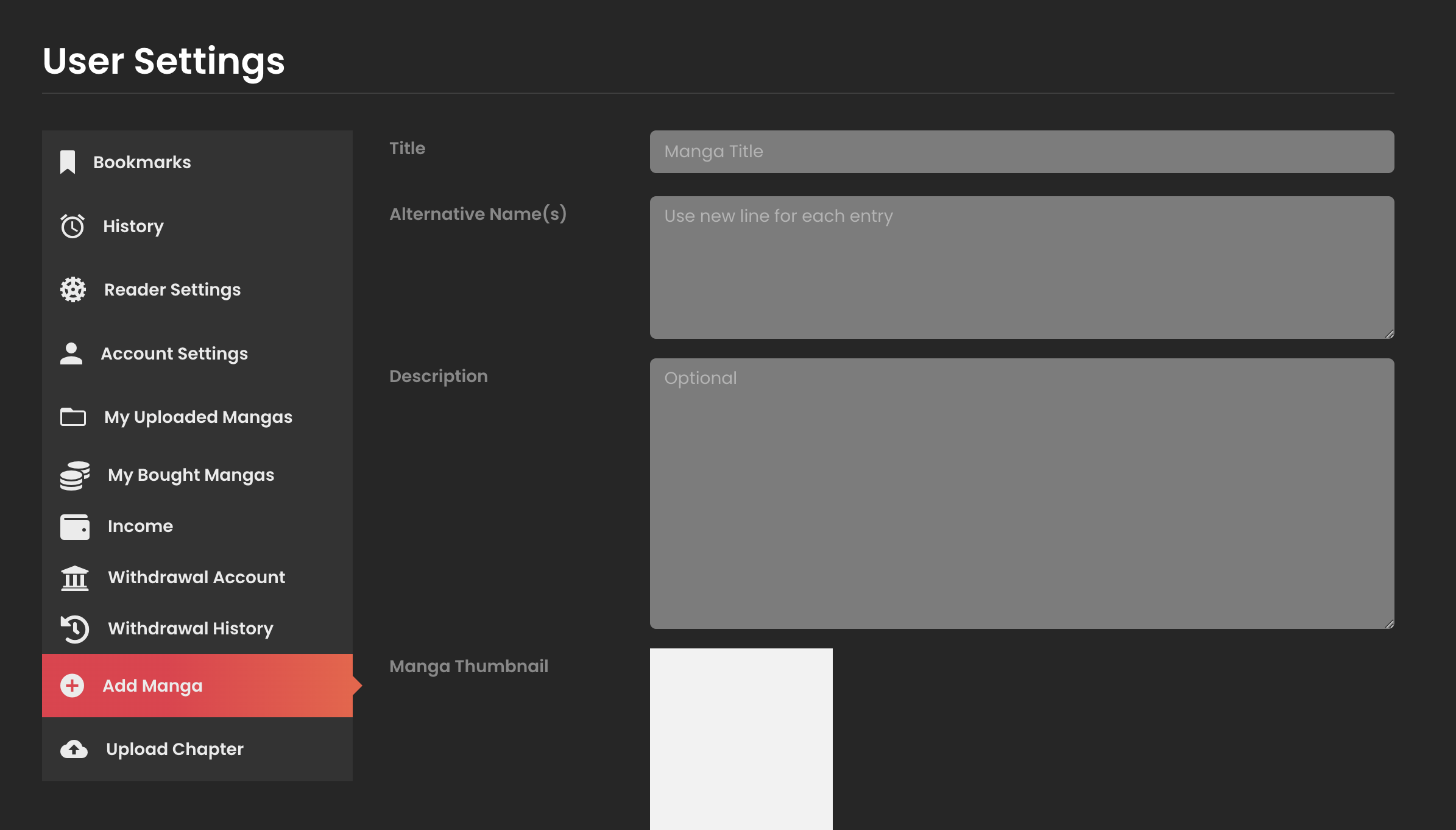
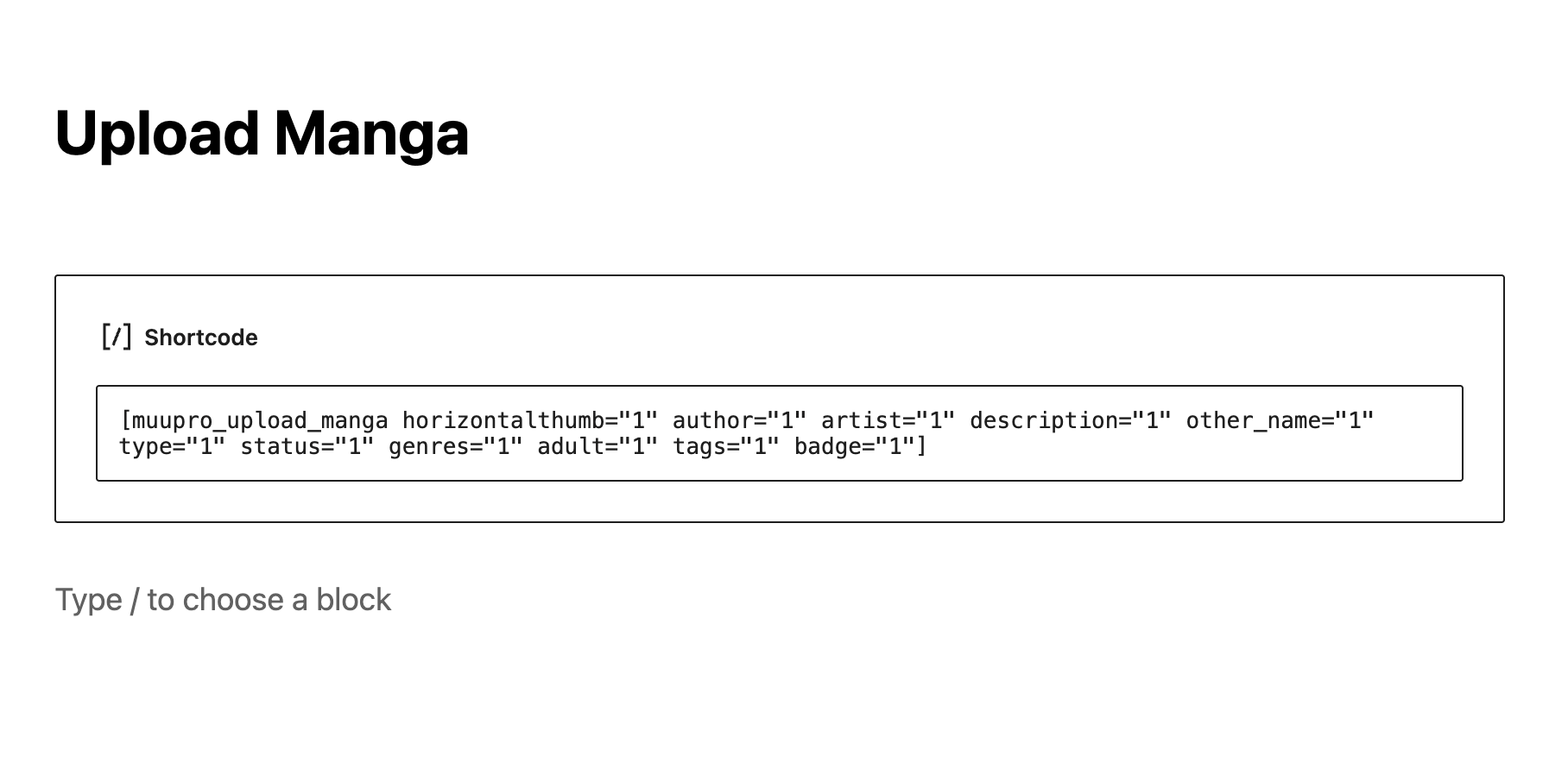
You can also use shortcodes to create custom upload forms. By using shortcodes, you can create custom URL and using Page Builder to create custom upload forms. (See 4. Shortcodes for more details)
- The plugin supports both Manga and Novel/Text upload. However, the "Upload Chapter" page in "User Settings" page only supports a specific type of upload, which you can configure in "WP Manga Settings → WP Manga - Member Upload PRO → Default Type".
3. Admin Settings
Go to "WP Manga Settings → WP Manga - Member Upload PRO" to configure the settings.
Settings List
| Setting Name | Description | Default Value |
|---|---|---|
| Enable Upload Form in "User Settings" page | Enable/disable the upload form display in the "User Settings" page. If disabled, you need to use shortcodes to create custom upload forms. See 4. Shortcodes for more details. | Yes |
| Message for Manga uploader | Message displayed at the top of the Manga upload form in the "User Settings" page. This is useful for informing the user about the upload process. | (Empty) |
| Message for Chapter uploader | Message displayed at the top of the Chapter upload form in the "User Settings" page. This is useful for informing the user about the upload process. | (Empty) |
| Default Type | Default Manga type for your website. Options: Manga, Text/Novel, Video/Drama. This setting determines which upload chapter form will be displayed in the User Settings page. | Manga |
| Default Storage | Default storage for uploading Manga (Images Chapters). You can manage storage in the "WP Manga Storage" page | Local |
| Default Manga Post Status | Default status of Manga when uploaded from front-end. If set to "Pending", admin needs to review and approve the uploaded content at "Manga → Review Requests" page. | Pending |
| Who can upload? | Select User Roles that are allowed to upload Manga from front-end. Multiple roles can be selected. | All roles |
| Enable "Edit Manga" page in Front-end | Enable/disable the feature to edit Manga from front-end. Manga owner and Editor, Administrator roles can edit Manga. | No |
4. Shortcodes
4.1. [muupro_upload_manga]
This shortcode displays the form to upload a new Manga.
Syntax:
[muupro_upload_manga property1="value1" property2="value2" ...]Properties:
| Property | Type | Description | Default |
|---|---|---|---|
| other_name | boolean | Display Alternative Name(s) field | false |
| description | boolean | Display Description field | false |
| horizontalthumb | boolean | Display Horizontal Thumbnail field | false |
| horizontalThumb_required | boolean | Make Horizontal Thumbnail required (only effective when horizontalthumb="1") | false |
| author | boolean | Display Authors field | false |
| author_required | boolean | Make Authors required (only effective when author="1") | false |
| artist | boolean | Display Artists field | false |
| type | boolean | Display Type field | false |
| types | string | Comma-separated list of Type options (only effective when type="1") | |
| type_required | boolean | Make Type required (only effective when type="1") | false |
| release | boolean | Display Release Year field | false |
| release_required | boolean | Make Release Year required (only effective when release="1") | false |
| status | boolean | Display Status field | false |
| adult | boolean | Display Adult Content field | false |
| badge | boolean | Display Badge field | false |
| tags | boolean | Display Tags field | false |
| genres | boolean | Display Genres field | false |
| redirect | string | URL to redirect to after successful upload |
Example:
[muupro_upload_manga horizontalthumb="1" author="1" artist="1" description="1" other_name="1" type="1" status="1" genres="1" adult="1" tags="1" badge="1"]4.2. [muupro_upload_chapters]
This shortcode displays the form to upload Chapters for Manga (image-based chapters).
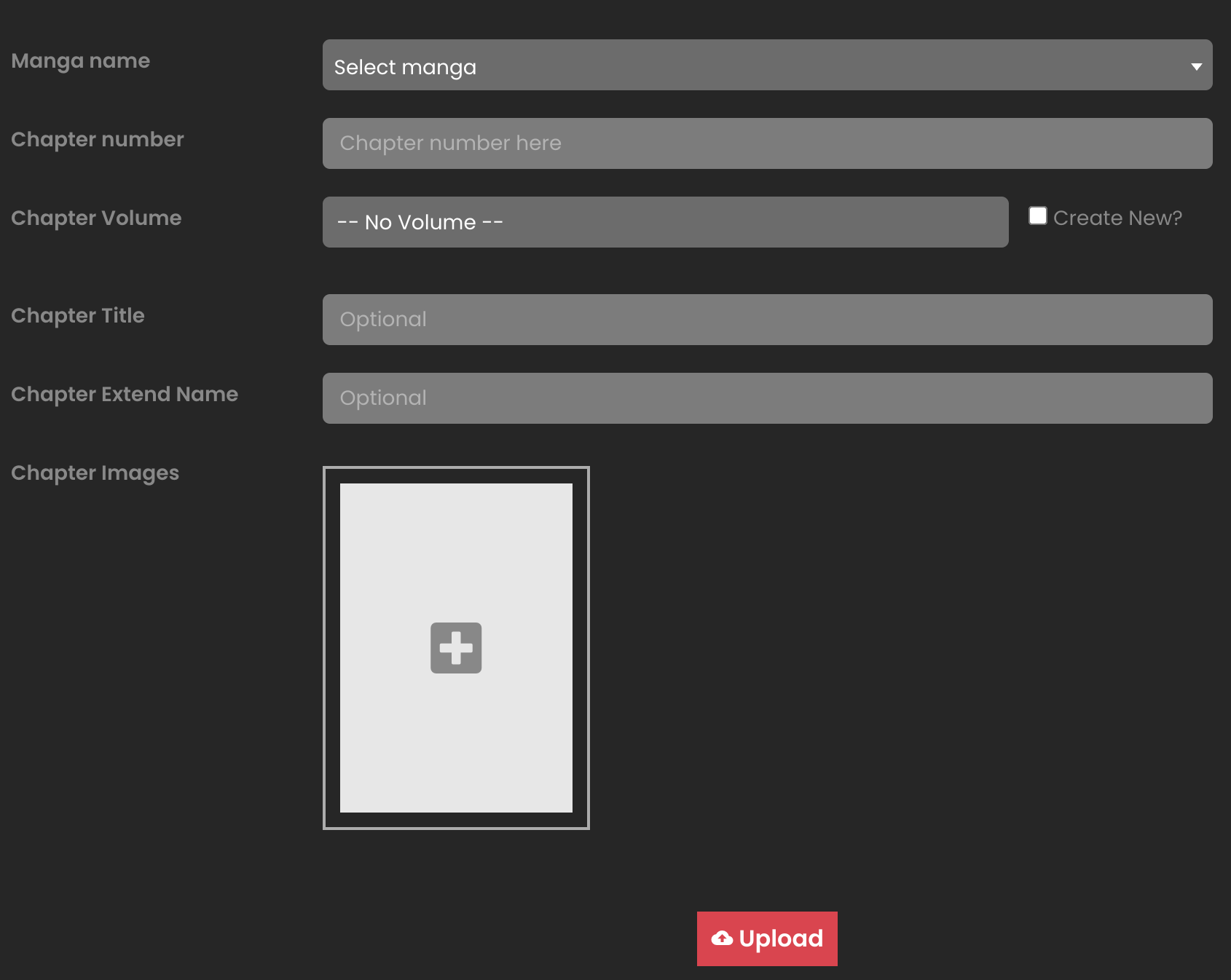
Syntax:
[muupro_upload_chapters property1="value1" property2="value2" ...]Properties:
| Property | Type | Description | Default |
|---|---|---|---|
| owner | boolean | Only show Manga owned by the current user | false |
| volume | boolean | Display Chapter Volume field | true |
| title | boolean | Display Chapter Title field | true |
| extendname | boolean | Display Chapter Extend Name field | false |
| seo | boolean | Display Chapter SEO Description field | false |
| warning | boolean | Display Chapter Warning Text field | false |
Example:
[muupro_upload_chapters owner="1" title="1" extendname="1" seo="1" warning="1"]4.3. [muupro_upload_novel_chapter]
This shortcode displays the form to upload Chapters for Novel/Text (text-based chapters).
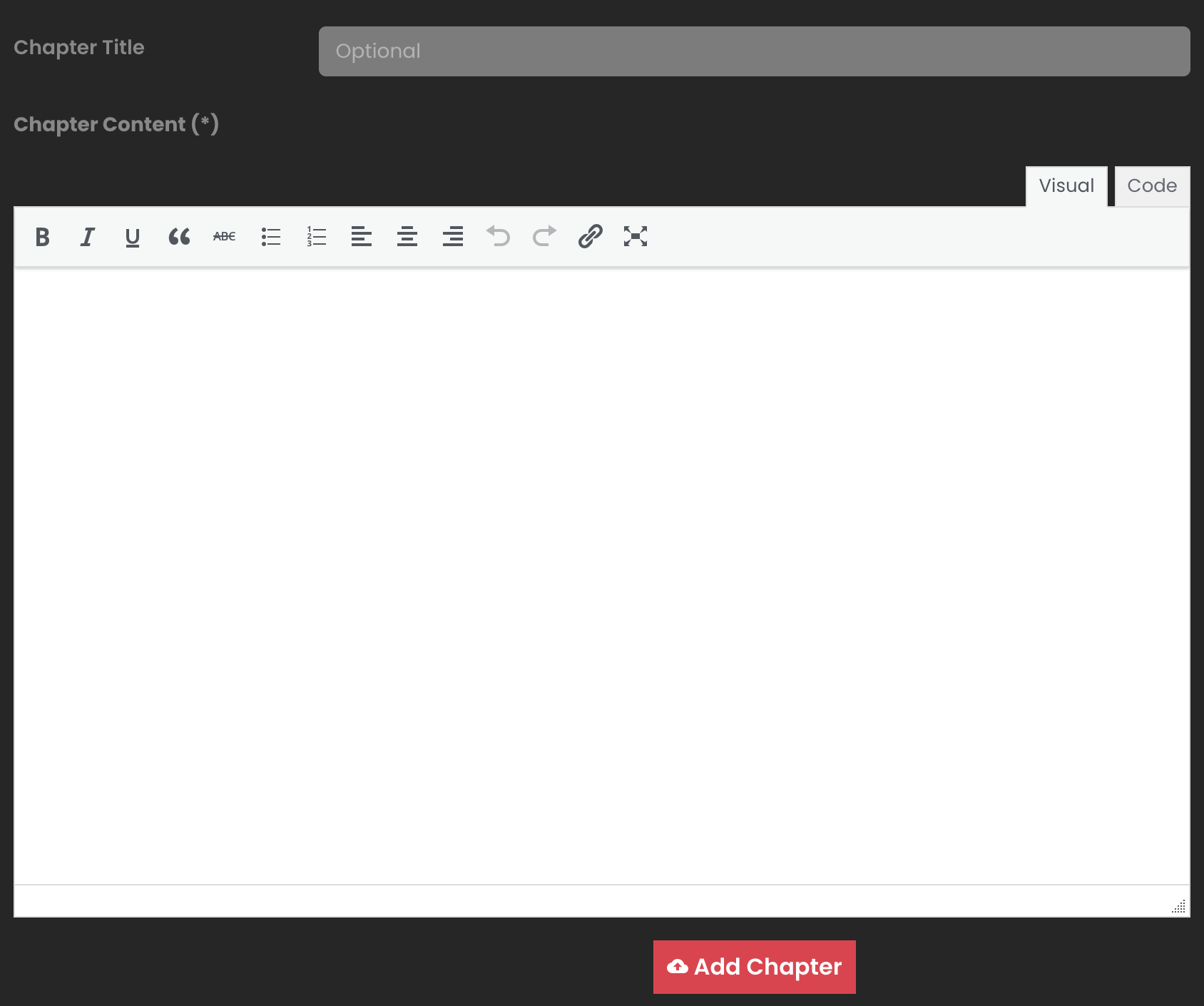
Syntax:
[muupro_upload_novel_chapter property1="value1" property2="value2" ...]Properties:
| Property | Type | Description | Default |
|---|---|---|---|
| owner | boolean | Only show Novels owned by the current user | false |
| volume | boolean | Display Chapter Volume field | true |
| title | boolean | Display Chapter Title field | true |
| extendname | boolean | Display Chapter Extend Name field | false |
| seo | boolean | Display Chapter SEO Description field | false |
| warning | boolean | Display Chapter Warning Text field | false |
Example:
[muupro_upload_novel_chapter owner="1" title="1" extendname="1"]4.4. [muupro_uploaded_mangas]
This shortcode displays a list of Manga that the current user has uploaded. This is useful when you have multiple uploaders in the site
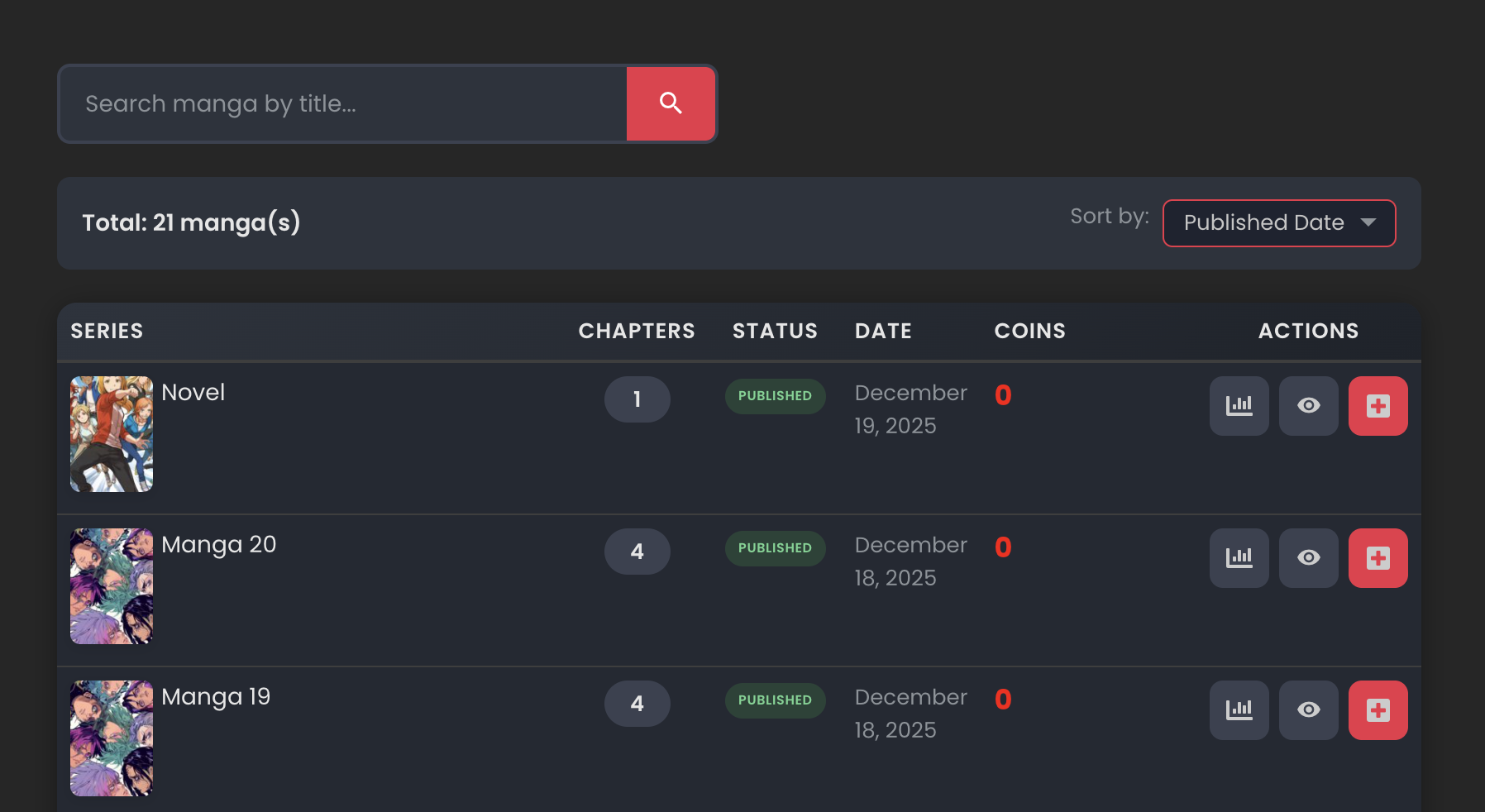
Syntax:
[muupro_uploaded_mangas property1="value1" property2="value2" ...]Properties:
| Property | Type | Description | Default |
|---|---|---|---|
| per_page | integer | Number of Manga to display per page | 12 |
| add_chapter_url | string | URL of the upload chapter page (used for the "Add Chapter" button) | # |
Example:
[muupro_uploaded_mangas per_page="20" add_chapter_url="/upload-chapter/"]5. Developer Guide
The plugin provides many hooks and filters for developers to extend and customize functionality.
5.1. Actions (Hooks)
| Hook Name | Description | Parameters | Location |
|---|---|---|---|
muupro_before_create_manga |
Fired before creating a new Manga | $data (array) - Manga data | inc/add-manga.php |
muupro_after_create_manga |
Fired after successfully creating a new Manga | $data (array), $post_id (int) | inc/add-manga.php |
muupro_before_add_chapter |
Fired before adding a new Chapter | $chapter_args (array) - Chapter parameters | inc/upload-chapter.php |
muupro_after_add_chapter |
Fired after successfully adding a new Chapter | $chapter_args (array), $chapter_id (int) | inc/upload-chapter.php |
muupro_after_edit_chapter |
Fired after editing Chapter information | $data (array), $where (array) | inc/edit-handler.php |
muupro_after_edit_chapter_content |
Fired after editing Chapter content | $data (array) | inc/edit-handler.php |
muupro_save_manga_info |
Fired when saving Manga information from edit page | $post_id (int) | inc/edit-handler.php |
muupro_manga_stats_extra |
Allows adding extra statistics to the Manga Stats modal | $manga_id (int) | template/shortcodes/modal-manga-stats.php |
muupro_manga_stats_extra_sort_by_options |
Allows adding sort options to the uploaded mangas list | None | template/shortcodes/uploaded_mangas.php |
muupro_manga_stats_extra_header_column |
Allows adding header columns to the uploaded mangas table | None | template/shortcodes/uploaded_mangas.php |
muupro_manga_stats_extra_item_column |
Allows adding data columns to each row in the uploaded mangas table | $manga_id (int) | template/shortcodes/uploaded_mangas.php |
muupro_upload_chapter_fields |
Allows adding custom fields to the upload chapter form | None | template/shortcodes/upload_chapters.php, upload_novel.php |
muupro_form_upload_manga_fields |
Allows adding custom fields to the upload manga form | None | template/shortcodes/upload_manga.php |
muupro_edit_manga_info |
Allows adding content to the Manga information edit section | None | template/tab-items/manga-info.php |
muupro_edit_manga_extra_info |
Allows adding content to the Manga extra information edit section | None | template/tab-items/manga-extra-info.php |
muupro_edit_chapter_modal_fields |
Allows adding custom fields to the edit Chapter modal | None | template/edit-page/chapter-edit.php |
muupro_before_upload_chapters |
Fired before uploading chapters (JavaScript event) | uploadFormData (FormData object) | assets/upload-chapter.js |
5.2. Filters
| Filter Name | Description | Parameters | Location |
|---|---|---|---|
muupro_before_create_manga |
Allows modifying Manga data before creation | $data (array) - Manga data | inc/add-manga.php |
muupro_before_add_chapter_args |
Allows modifying Chapter parameters before adding | $chapter_args (array) - Chapter parameters | inc/upload-chapter.php |
muupro_get_chapter_info |
Allows modifying Chapter information when retrieving data | $data (array) - Chapter data | inc/edit-handler.php |
muupro_get_chapter_content |
Allows modifying Chapter content when retrieving data | $data (array) - Chapter content data | inc/edit-handler.php |
muupro_edit_chapter_data |
Allows modifying Chapter data before saving | $data (array) - Chapter data | inc/edit-handler.php |
muupro_can_user_manage_request |
Allows checking permission to manage (accept/refuse) pending request | $can (boolean), $object_id (int|null) | plugin.php |
muupro_get_uploaded_mangas_query_args |
Allows modifying query arguments for the uploaded mangas list | $args (array), $current_user (int) | inc/helper.php |
muu_post_status |
Allows changing the post status of Manga when uploading | $post_status (string), $data (array) | inc/upload-handler.php |
muu_manga_create_args |
Allows modifying arguments when creating Manga post | $args (array) | inc/upload-handler.php |
muupro_reviewer_roles |
Allows changing the role that can review pending requests | $role (string) - Default: 'edit_posts' | inc/admin-pages.php |
5.3. Template Overrides
To override the default UI, you can copy and edit the following template files (inside "template" folder of the plugin) to your child theme /muu-pro/ folder:
| Template Name | Description |
|---|---|
template/shortcodes/upload_manga.php |
Upload Manga form template |
template/shortcodes/upload_chapters.php |
Upload Chapter form template |
template/shortcodes/upload_novel_chapter.php |
Upload Novel Chapter form template |
template/shortcodes/uploaded_mangas.php |
Uploaded Mangas list template |